Hardware bring-up has a lot of small, fiddly steps: power the target, flash it, watch the boot log, toggle a pull-up, pretend to be the sensor it expects, read back what it did on the I2C bus. Each one is a command you have to remember and a wire you have to get right. The BenchPod already turns those steps into API calls — and once they're API calls, an AI agent can make them for you.
The BenchPod ships an MCP server that exposes the whole bench as tools. Point Claude at it, and you can drive real hardware by asking.
What is MCP
The Model Context Protocol is a standard way to give an AI assistant tools it can call. The BenchPod MCP server (embeddedci-mcp) is a thin wrapper over the BenchPod SDK: every tool maps to a bench operation — connect, power_on, flash, capture_uart, enable_i2c_sensor, i2c_sensor_capture, capture_adc, can_read, and so on. When Claude calls one, the pod actually does it.
Connect Claude to the bench
Install the server (pip install embeddedci-mcp, or run it on demand with uvx), then add it to your client. For Claude Desktop or Cursor:
{
  "mcpServers": {
    "benchpod": {
      "command": "uvx",
      "args": ["embeddedci-mcp"],
      "env": { "BENCHPOD_CONNECTION": "192.168.1.213", "BENCHPOD_LA_VOLTAGE": "3.3" }
    }
  }
}
For Claude Code, it's one command:
claude mcp add benchpod -e BENCHPOD_CONNECTION=192.168.1.213 -e BENCHPOD_LA_VOLTAGE=3.3 -- uvx embeddedci-mcpSet BENCHPOD_CONNECTION to your pod's IP, a serial port like /dev/tty.usbserial-0001, or embeddedci:<device-name> (with BENCHPOD_API_KEY) to reach a pod in the cloud, and BENCHPOD_LA_VOLTAGE to your board's I/O voltage (1.8 for a 1V8 board). Full client setup is in the MCP server docs.
Just ask
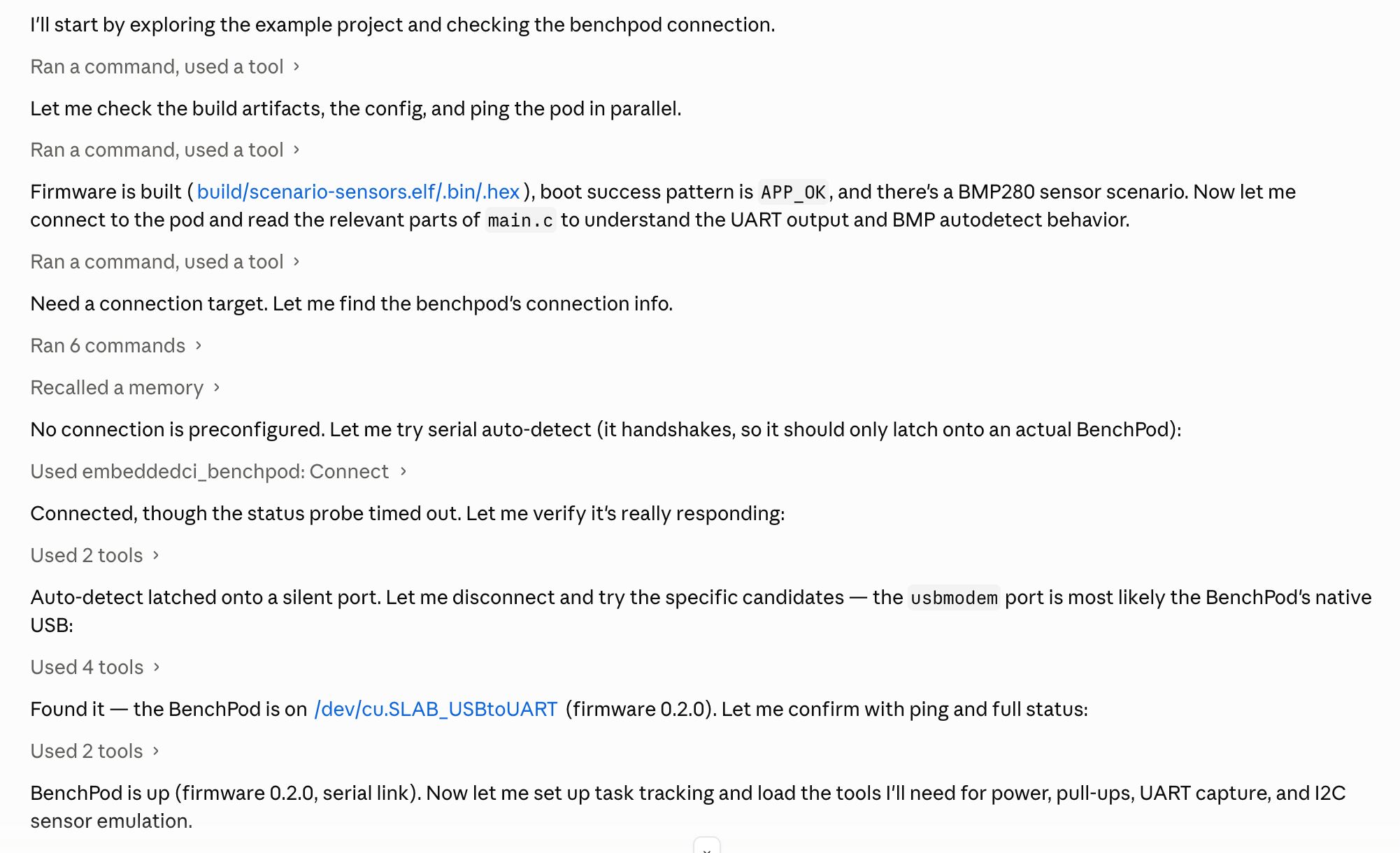
With the server connected, the bench is part of the conversation. You can say things like:
Connect to the bench, flash build/app.elf to the STM32F4 over SWD, then power-cycle the target and show me the boot log.Claude calls connect, flash, power_cycle_and_capture, and reads back the UART — then tells you whether it saw APP_OK. If it didn't, you can keep going in the same breath:
It hung before the sensor init. Pretend to be a BMP280 on the I2C lines and try again.
Now it engages the pull-ups, brings up the emulated sensor with enable_i2c_sensor, re-runs the power-cycle, and checks i2c_sensor_capture to confirm the firmware actually probed the chip. The agent is doing exactly what you'd do by hand — flash, observe, change one variable, re-test — but you described the loop instead of typing each step.
A typical flow under the hood:
connect("192.168.1.213", la_voltage=3.3)
flash(swclk=11, swdio=12, nreset=true, target="target/stm32f4x.cfg", file="app.elf", target_power=1)
set_pull(las=[1, 2], enabled=true); enable_i2c_sensor(sda=2, scl=1, temperature_c=22.5, pressure_pa=101000)
power_cycle_and_capture(rx=5, tx=4, delay=1.5, duration=6.0, until_regex="APP_OK")
i2c_sensor_capture(address=0x76, register=0xD0)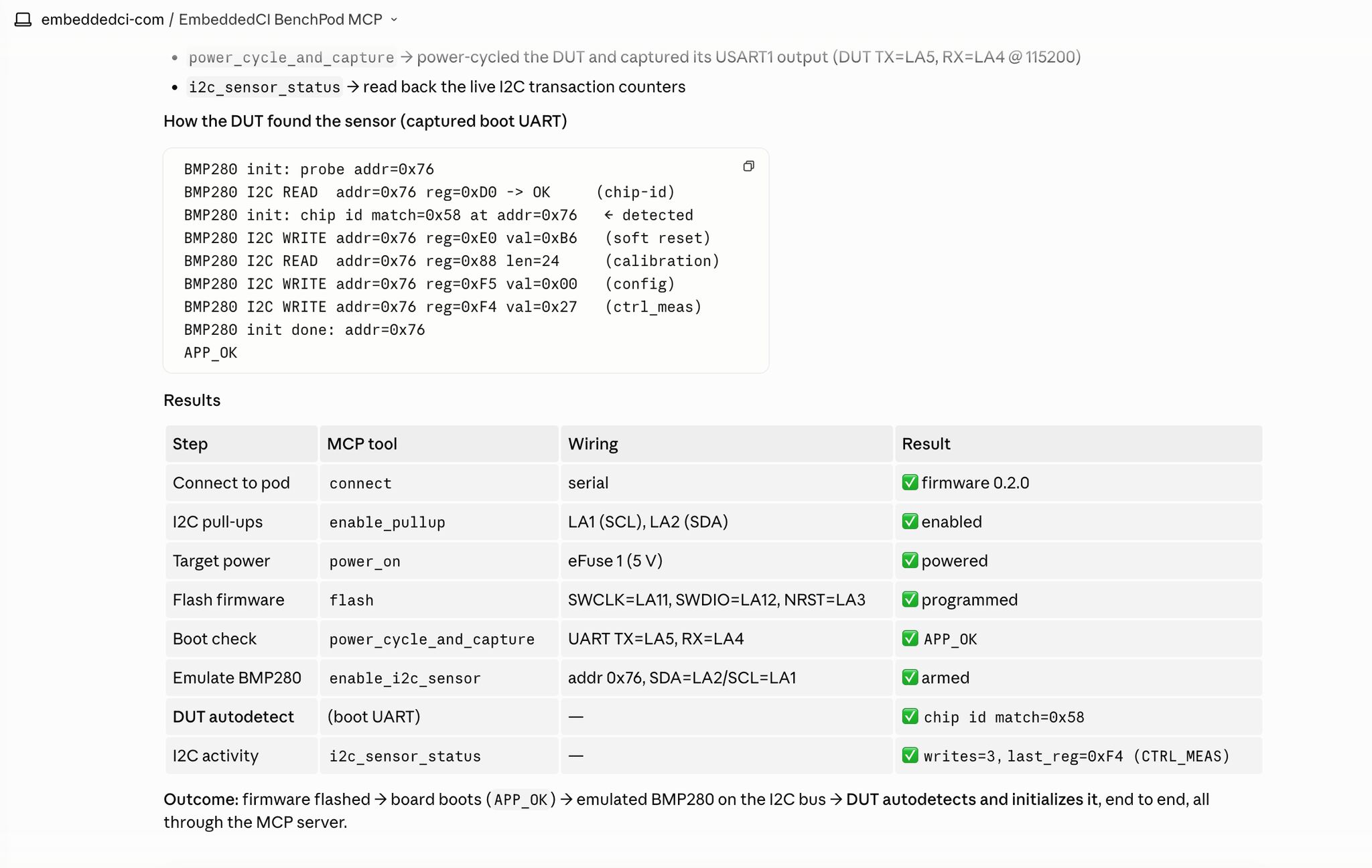
Why this is more than a party trick
Failures name their cause (FirmwareError: la voltage not set), and a flash or boot that doesn't work comes back with its logs, so the agent can reason about what went wrong and try the next thing — connect under reset, check the target's power draw, re-seat the sensor emulation — instead of just stopping. The server hands Claude its usage instructions when it connects, and exposes a benchpod://wiring resource describing the channels, pull resistors and analog paths, so Claude knows how the bench works before it starts poking at it.
It's a fast way to explore a new board, reproduce a flaky boot, or talk a teammate through a bring-up problem. And when you've found the sequence that matters, the same operations are pytest fixtures — so the thing you discovered interactively becomes a test that runs on every push.